Cut Theft to 3: Resident ID Verification for U.S. Property Managers
Cut Theft to 3: Resident ID Verification for U.S. Property Managers The four workable approaches to resident ID verification are smart lockers with mobile or PIN credentials, camera-equipped smart package rooms, manual verification with doc
Published
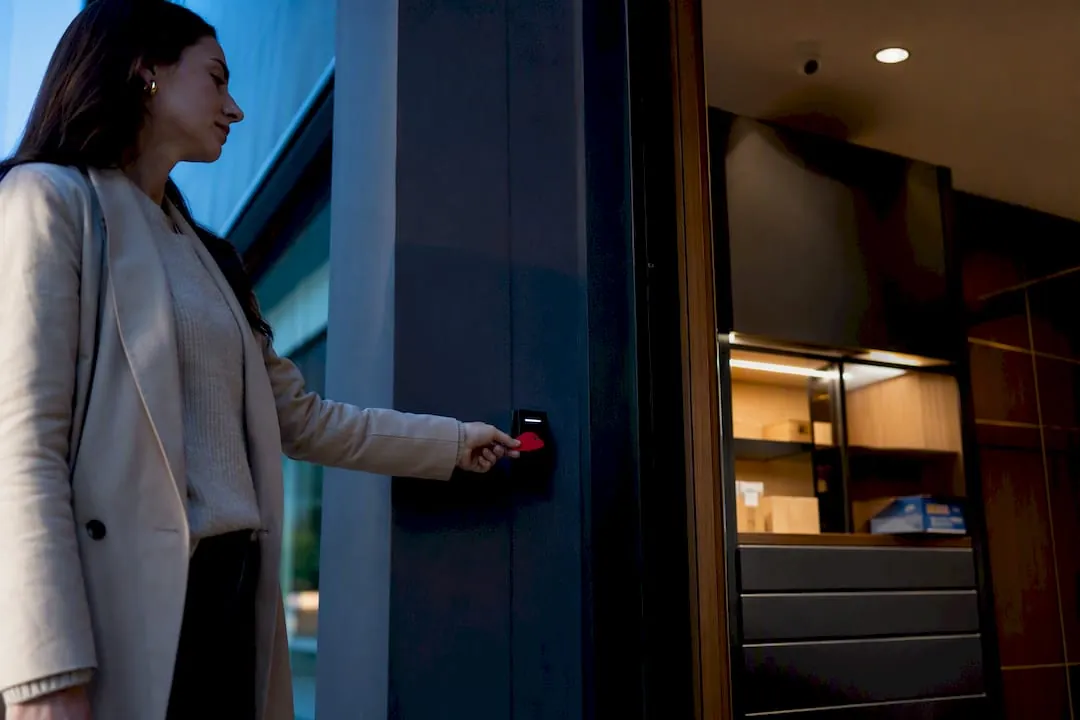
The four workable approaches to resident ID verification are smart lockers with mobile or PIN credentials, camera-equipped smart package rooms, manual verification with documented policies, and offsite third-party delivery. Smart lockers often suit high-volume properties with consistent parcel flow. Manual verification with a written SOP may work for smaller sites on tighter budgets. Regardless of the technology, a carrier compliance program and an auditable log are important. Managed service providers offer paths that combine both.
TL;DR:
- Smart lockers are ideal for high-volume properties due to their scalability, but they struggle with oversized items and depend heavily on carrier compliance.
- Manual verification with documented policies may suffice for small sites but becomes impractical as parcel volume increases beyond a few dozen packages daily.
- Full automation results in significant theft reduction and faster pickups, but requires proper carrier onboarding, audit trails, and resident training to succeed.
- Proper implementation includes detailed carrier SOPs, real-time integration with property management software, and clear resident communication to ensure system effectiveness.
- Data privacy laws necessitate careful handling of biometric or camera data, with clear retention policies and limited access, especially in states like California with strict regulations.
Table of Contents
- What Are the Realistic Options for Resident ID Verification Packages?
- How Do You Choose the Right Verification Approach for Your Property?
- What Does a Full Implementation Checklist Look Like?
- What’s the Minimum Evidence Trail for Audits and Disputes?
- Postal Solutions’ Field Perspective on Package-Room Deployments
- Does Resident ID Verification Have to Account for Data Privacy Rules?
- How Does Resident ID Verification Connect to Property Management Software?
- How Often Does the Technology Need Maintenance and Updates?
- Does Property Size Change Which Verification Approach Makes Sense?
- How Do You Get Residents to Actually Use the New System Correctly?
- Field Note: Common Deployment Mistakes and Quick Fixes
- How Postal Solutions Can Help With Package Room Verification
- Sources
- FAQ
What Are the Realistic Options for Resident ID Verification Packages?
Every property ends up choosing between four models, and each one authenticates residents differently.
Smart lockers issue a unique code, mobile app credential, or QR code tied to a specific package. The resident scans or enters it at the locker face, the door opens, and the system logs the transaction automatically. This is the most common setup for mid-size and large communities because it requires no staff supervision at pickup.
Smart package rooms go a step further. Instead of individual locker doors, residents access a shared room using a PIN, fob, or app credential, often paired with camera recognition that flags mismatched pickups. These handle oversized packages better than lockers because there’s no fixed cubby size limiting what fits.
Manual verification relies on a staff member or vendor checking a government ID or unit number against a physical or digital package log before releasing an item. It costs the least upfront but scales poorly once volume climbs past a few dozen packages a day.
Offsite delivery models remove the package entirely from the property. A third-party facility receives and verifies identity before the resident travels to collect it, which shifts liability and footprint requirements off-site but adds a step residents often dislike.
Trade-offs break down like this:
- Smart lockers: moderate cost, fixed footprint, strong scalability, weak on oversized items, fully carrier-dependent for intake accuracy
- Smart package rooms: higher upfront cost, flexible footprint, strong scalability, handles oversized items well, still carrier-dependent
- Manual verification: lowest cost, no footprint requirement, poor scalability, handles any package size, least carrier-dependent since staff intake replaces automated logging
- Offsite delivery: variable cost, zero on-site footprint, scalability depends on the third party, resident convenience is the weak point
A university deployment that combined locker and smart-room automation saw theft incidents fall from 127 per semester to just 3 within a year, with average pickup time dropping under two minutes. That kind of result depends entirely on getting carrier compliance right, which is the part most properties underestimate.
How Do You Choose the Right Verification Approach for Your Property?
Start with data, not vendor pitches. Pull three months of delivery volume from your current system or carrier logs before you compare a single product.
- Count your daily package volume and profile. A 150-unit conventional property averaging 40 packages a day has very different needs than a 600-bed student housing site spiking to 400 packages during move-in week.
- Measure your footprint constraints. Smart rooms need more square footage than locker banks; older buildings with narrow mail areas may only support a hybrid or manual approach.
- Assess carrier compliance risk. If your property has multiple entry points or an unmanned leasing office at certain hours, driver bypass becomes a bigger threat than resident-side fraud.
- Define your audit requirements. Some institutional owners require monthly compliance reporting; others just want a defensible log if a theft dispute lands in small claims court.
- Weigh CAPEX against OPEX. Buying and installing hardware is a capital expense with a multi-year payoff; outsourcing daily package-room management is an operating expense with immediate labor relief but no owned asset at the end.
Score each option against volume fit, footprint fit, carrier compliance risk, audit capability, and total cost of ownership on a simple 1 to 5 scale. The approach with the highest combined score, not the lowest sticker price, usually wins.
Pro Tip: Run your scoring rubric against your worst month, not your average month. A system that handles September move-in chaos will handle a quiet February easily. The reverse is rarely true.
What Does a Full Implementation Checklist Look Like?
Deployment fails most often at the carrier level, not the resident level, so sequence your rollout to catch that early.
Pre-launch (2 to 4 weeks out):
- Map every delivery entry point and confirm which carriers actually use each one
- Update lease language and site rules to reference the new pickup process
- Build a carrier contact list and assign an onboarding date for each one
- Set clear sign-off criteria: no go-live until at least one full test cycle runs clean
Installation and credential testing:
- Issue test credentials to a handful of staff and residents before the public launch
- Draft resident notification templates for delivery confirmation and pickup reminders
- Build a specific workflow for oversized items that won’t fit standard cubbies or shelving
Carrier onboarding:
- Provide a pictorial, one-page SOP at every entry point, since drivers rarely read long instructions
- Issue time-limited PINs or QR codes to regular drivers rather than permanent access
- Post signage at loading areas showing the exact intake steps
Staff processes:
- Define who handles exceptions (a locked-out resident, a driver who skips logging) and how fast
- Set an escalation path for disputed pickups before they become resident complaints
Post-launch:
- Run daily log spot-checks for the first week, then shift to weekly reviews through day 30
- Collect resident feedback at day 30 and adjust signage or notification timing based on real complaints
For properties adding hardware, footprint planning during this phase matters more than most teams expect, as highlighted in Lock them up! New student housing in an old prison. Reviewing installation considerations for package lockers before you finalize floor plans avoids costly rework later.
What’s the Minimum Evidence Trail for Audits and Disputes?
A defensible audit trail needs four fields captured on every single transaction: timestamp, credential used, package identifier, and staff or system action taken. Miss any one of these and a theft dispute becomes a guessing game.
Camera placement should cover the point of release, not just the room entrance. Connecting access logs with video footage lets a manager reconstruct exactly who opened which locker or room at what time, which turns a “he said, she said” dispute into a two-minute video pull.
Credential hygiene matters as much as the hardware. Cloud-managed, per-user credentials that can be revoked individually beat static shared PINs every time, since a shared PIN gives you no way to isolate who actually used it once it leaks. Practices from NIST security guidelines back this up, treating static shared credentials as a security gap rather than a convenience.
Your lease addenda and resident communications should spell out:
- What ID or credential is required at pickup
- How long packages are held before return-to-sender
- Who to contact for a disputed or missing package
- What happens if a credential is lost or a resident moves out
Statistic Callout: Theft incidents dropped from 127 per semester to just 3 after full parcel automation deployment, with pickup time falling under two minutes. That’s the ceiling for what a properly audited system can deliver.
Track theft incidents, average pickup time, and resident satisfaction scores monthly. If any of the three trends the wrong direction, your audit trail is the first place to look.
Postal Solutions’ Field Perspective on Package-Room Deployments
Some companies manage daily package-room operations and sell and install package room and locker systems. They do not deliver packages or staff mailrooms with their own employees. Their role is to organize what’s already there.
states, working with conventional multifamily, student housing, senior housing, and university partnerships. The pattern that separates a smooth deployment from a chaotic one is almost always the same: carrier onboarding gets built into the plan from day one, not bolted on afterward, and someone checks the audit log daily during the first 30 days rather than waiting for a resident complaint to surface a problem.
Does Resident ID Verification Have to Account for Data Privacy Rules?
Yes, and this is where properties collecting biometric or camera-based verification data face real exposure. If your smart package room uses facial recognition or stores biometric identifiers, you’re handling sensitive personal data, and state-level biometric privacy laws (like Illinois’s BIPA or Texas’s CUBI) can apply depending on where the property sits.
The California Consumer Privacy Act (CCPA) gives residents rights to know what personal data a property collects, including pickup logs and video footage, and to request deletion in some cases. Properties in California or with California residents should have a clear retention policy for these records rather than storing footage indefinitely.
GDPR generally applies only to properties handling data from residents in the European Union, which is uncommon for most U.S. multifamily and student housing operators, but international student housing programs should confirm their exposure with counsel rather than assume it doesn’t apply.
The practical takeaway: keep a written data retention schedule, limit access to logs and footage to authorized staff, and never use biometric identifiers as the sole credential without confirming your state’s specific consent requirements. A property attorney familiar with your state’s privacy statutes should review your resident communications before launch, not after a complaint arrives.
How Does Resident ID Verification Connect to Property Management Software?
Most verification systems, whether smart lockers or smart package rooms, need to talk to whatever platform your leasing office already runs, or the whole workflow breaks down into manual double-entry.
The cleanest integrations sync resident rosters automatically, so when someone moves out, their credential deactivates the same day rather than sitting active for weeks. This single feature prevents more security gaps than any camera upgrade. Ask any vendor directly whether their system pushes move-out data to your property management platform in real time or requires a manual export.
Package notification timing is the second integration point that matters. If your verification system can’t trigger a text or app alert the moment a package arrives, residents will keep showing up to check “just in case,” which defeats the entire purpose of automating the workflow.
Reporting is the third piece. Owners and regional managers usually want a monthly compliance snapshot, not raw log files. A system that exports clean audit reports directly into your existing reporting cadence saves your team hours every month compared to manually reconciling package logs against lease rosters.
Before signing any contract, confirm compatibility with your specific property management software by name, not just a vague claim of “integrates with most platforms.” That distinction shows up fast during your first move-out cycle.
How Often Does the Technology Need Maintenance and Updates?
Hardware and software age at very different rates, and treating them the same way is a common mistake.
Software updates for cloud-managed credential systems typically roll out automatically, patching security vulnerabilities and adding features without site visits. Confirm with your vendor whether updates require a maintenance window or happen silently in the background, since a locker bank going offline during peak delivery hours creates a backlog that takes days to clear.
Hardware maintenance is where properties fall behind. Locker doors, card readers, and cameras need physical inspection on a schedule, not just when something visibly breaks. A quarterly walkthrough checking for stuck doors, worn keypads, and camera obstruction catches small problems before they become resident complaints.
Battery-powered components, common in some fob and keypad systems, need a replacement schedule tracked separately from software updates. Build this into whatever preventive maintenance calendar your property already uses for HVAC or fire safety inspections, since it’s the same discipline applied to a different system.
Ask your vendor directly what the expected hardware lifespan is and whether firmware updates are pushed automatically or require a technician visit. That answer affects your long-term operating cost more than the sticker price of the hardware itself.
Does Property Size Change Which Verification Approach Makes Sense?
Scale changes the math significantly. A 50-unit garden-style property receiving 15 packages a day rarely justifies a full smart package room with camera integration. Manual verification with a documented log, paired with clear resident communication, handles that volume without the capital investment.
A 300-unit lease-up or a student housing property with 800 beds is a different calculation entirely. Move-in week alone can generate hundreds of packages daily, and a manual process collapses under that load within the first few days. Smart lockers or smart package rooms become close to mandatory at this scale, not because manual processes are inherently flawed, but because staff time to log and retrieve that volume manually costs more than the automated alternative.
Multi-building campuses and university partnerships face an added wrinkle: centralizing pickup in one location often creates a bottleneck, while decentralizing across several smart rooms multiplies both hardware cost and carrier onboarding complexity, since drivers now need SOPs for multiple locations instead of one.
The middle ground, properties in the 100 to 250 unit range, benefits most from a hybrid approach: a smaller locker footprint for standard packages combined with a staffed process for oversized or refrigerated items. Comparing lockers against traditional package rooms side by side at this size range usually reveals which fixed costs actually make sense for your unit count.
How Do You Get Residents to Actually Use the New System Correctly?
A perfect verification system fails if residents don’t understand how to use it, and onboarding gets skipped more often than any other step in a rollout.
Send a notification before launch day explaining exactly what changes: new pickup location, new credential type, and what to do if a package doesn’t show up in the system within 24 hours of a carrier delivery confirmation. Residents tolerate change far better when they know it’s coming rather than discovering it when a locker won’t open.
Physical signage at the pickup location matters more than digital communication for many residents, especially in student housing where turnover happens twice a year and half the population is brand new to the property every August and January.
Move-in packets should include verification instructions alongside the standard welcome materials. For student housing specifically, running a live demonstration during move-in day, showing new residents exactly how to scan a code or enter a PIN, cuts confused front-office visits significantly during the first week when volume is highest anyway.
Residents who understand the system tend to view fast, frictionless pickup as a real amenity rather than a hurdle, and that perception connects directly to renewal decisions down the line.
Field Note: Common Deployment Mistakes and Quick Fixes
The single biggest mistake we see is skipping carrier onboarding and assuming drivers will figure out the new process on their own. They won’t, and a bypassed SOP undoes every other security measure in the building.
The second mistake is relying on one shared PIN for an entire driver route. It’s convenient until that PIN leaks, and then you have no way to isolate who used it.
The third is never testing the oversized-package workflow before launch, which means the first refrigerator-sized delivery becomes an improvised mess in front of residents.
Fixes are simple: pictorial SOPs at every entry point, revocable per-driver credentials instead of shared ones, and a 30-day audit plan that catches these gaps before they become patterns.
How Postal Solutions Can Help With Package Room Verification
Some companies provide daily package-room organization for apartment communities and student housing, and offer sales and installation of package room and locker systems for properties seeking managed hardware solutions. If your team is losing hours every week logging packages, chasing carrier compliance, or fielding resident complaints about missing deliveries, outsourced package-room management can help reduce that friction.
Properties that bring us in typically see clearer audit trails, less staff time spent on package logistics, and a better resident pickup experience without hiring additional payroll. Whether you need a managed service to organize an existing package room six days a week or a full Luxer One installation from the ground up, reach out through our site to talk through what your property’s volume and footprint actually require.
Sources
- University campus package management case study, Accessa
- Package room security for multifamily properties, EyeQ
- A framework for solving multifamily’s package management problem, Insights by Blueprint
FAQ
What Are Resident ID Verification Packages?
They’re the combined methods, whether mobile codes, QR codes, PINs, fobs, or manual ID checks, that properties use to confirm a resident’s identity before releasing a package from a locker, package room, or offsite facility.
Which Verification Method Reduces Theft the Most?
Integrated locker and smart-room automation paired with camera monitoring has produced the strongest documented results, including one case study showing theft drop from 127 to 3 incidents per semester.
Are PIN Codes or QR Codes Better for Package Pickup?
QR codes tend to move faster at high-volume pickup points since scanning beats manual entry, but PIN codes work better as backup credentials for residents without a working phone or app access.
Does Postal Solutions Install Verification Hardware?
Yes. Postal Solutions sells and installs Luxer One package room and locker systems and also provides a managed package-room program, administered 3-6 days per week, for properties that prefer an outsourced operational approach.
How Long Should Package Pickup Logs Be Kept?
There’s no single legal minimum for most properties, but a documented retention schedule protects against disputes while limiting long-term data exposure, with the length varying depending on lease terms and state privacy rules.