Stop Directory Drift: 4 API Requirements for Access Control Lockers
Stop Directory Drift: 4 API Requirements for Access Control Lockers Access control integration lockers convert standalone storage units into managed access points that verify identity, log every open and close event, and sync automatically
Published
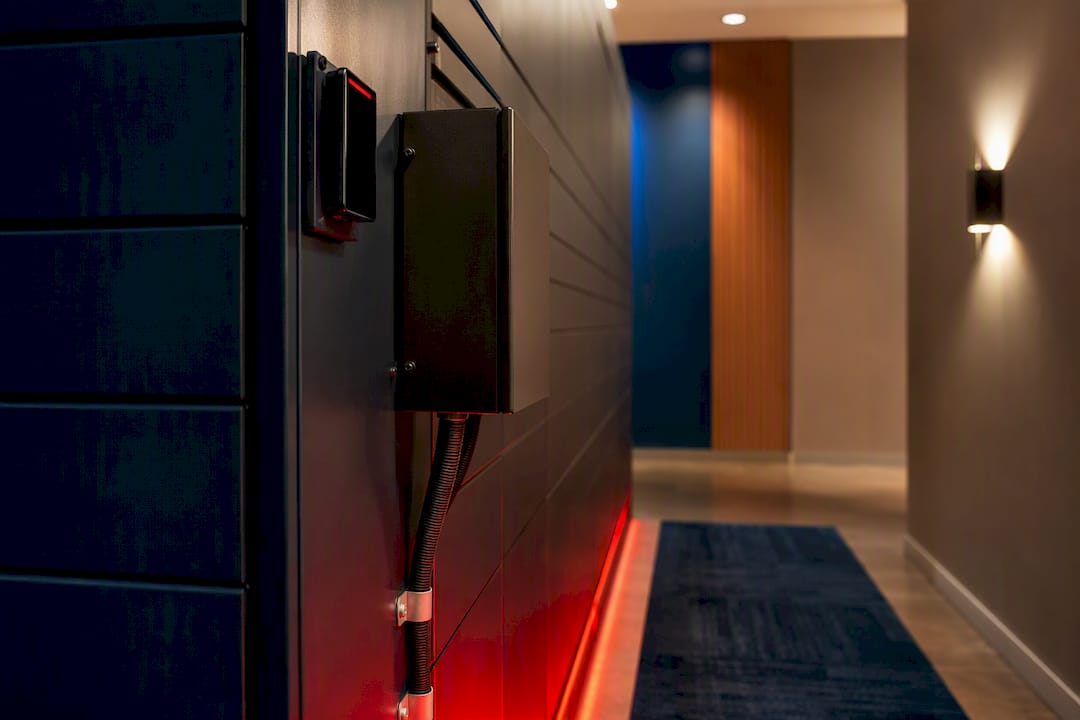
Access control integration lockers convert standalone storage units into managed access points that verify identity, log every open and close event, and sync automatically with the credentials your building already issues. Facility and security managers should deploy them when the priority is auditable, self-serve access with minimal staff intervention: real-time provisioning when a resident or employee arrives, immutable logs when compliance officers ask questions later, and fewer trips to the package room for your team. The rest of the decision comes down to architecture, security standards, and integration depth, covered in the checklist below.
TL;DR:
- Lockers should be integrated with access control using open APIs that support real-time assign, revoke, event webhooks, and audit exports, ensuring smooth synchronization.
- Offline capability is critical for uptime, as lockers must cache permissions locally to remain operational during network outages, with proper testing before deployment.
- Support for multiple credential types, including RFID, mobile apps, QR codes, and PINs, is standard; higher-security setups require two-factor authentication.
- Directory synchronization through middleware prevents credential drift, automating user provisioning and offboarding to maintain accurate access rights.
- Proper physical infrastructure, clear mapping rules, and staff training on override procedures are essential for successful locker deployment and ongoing management.
Table of Contents
- What Is Access Control Integration for Smart Lockers?
- What Benefits Do Integrated Lockers Deliver for Facility Teams?
- How Do Lockers Integrate With Existing Identity Systems?
- What Security Standards Should You Require?
- What Should You Plan for During Deployment?
- How Do You Choose an Integrated Locker System?
- What We’ve Learned Installing Locker Systems Nationwide
- Get Access-Control-Ready Lockers Installed and Managed
- Sources
- FAQ
What Is Access Control Integration for Smart Lockers?
Integrating a locker bank with access control means wiring each compartment into the same hierarchy that governs your doors: a credential reader feeds a controller board, the board manages multiple channels, and each channel opens one locker. Installers typically chain boards in sequence, reader to Board 1, Board 1 to Board 2, and so on, with each board handling several channels at once. Get the wiring and channel mapping wrong during install, and you get intermittent unlock failures that look exactly like a software bug but are actually a physical wiring fault.
Two integration paths dominate the market:
- Direct hardware integration, where the locker controller speaks a native protocol like Wiegand or OSDP directly to your access panel.
- API-based/middleware integration, where a RESTful API and a software bridge sit between the locker platform and your identity system, handling provisioning and events over HTTPS.
Online systems check credentials against a live server in real time. Offline-capable systems cache permissions locally so lockers keep functioning during a network outage, then sync the event log once connectivity returns. For any building where uptime matters, that offline fallback isn’t optional. It’s the difference between a locker bank that keeps working during an ISP outage and one that locks out every resident until IT resolves the issue.
What Benefits Do Integrated Lockers Deliver for Facility Teams?
The core payoff is accountability without added staff hours. Every open, close, and failed attempt gets time-stamped and stored, giving you a chain-of-custody record you can export the moment a resident disputes a missing package or an auditor asks for proof of access.
That single capability drives several distinct use cases:
- Multifamily package management: residents pick up parcels on their own schedule using the same fob or app they already use for the building’s front door.
- Student housing: high package volume during move-in weeks gets absorbed without adding package-room staff, and turnover between semesters is handled through automated credential deactivation instead of manual re-keying.
- IT asset swap stations: laptops, badges, and loaner equipment get assigned to a specific locker and a specific employee, with the log serving as your equipment chain-of-custody.
- Tool and equipment lockers: maintenance teams check out shared tools with full visibility into who had what and when.
Operationally, self-serve access cuts the labor drag that comes with staff manually escorting people to a package room or logging pickups by hand. Compliance teams get exportable reports instead of a paper sign-out sheet nobody trusts.
How Do Lockers Integrate With Existing Identity Systems?
An open, API-first architecture is what separates a locker system that scales from one that becomes a maintenance headache within a year. Facility teams favor it specifically because it lets the locker platform stay synchronized with HR directories and automates offboarding when someone leaves.
The middleware layer, often called a digital bridge, is what actually does the work. It maps locker platform user records to your Active Directory, property management system, or student information system, so a new hire or new lease automatically gets locker access without a manual entry on two separate databases. Without that bridge, you end up maintaining identity in two disconnected systems, and directory drift creeps in fast: someone moves out, their PMS record updates, but their locker credential stays active for weeks.
Four API functions matter most during procurement:
- Assign/revoke endpoints that grant or pull locker access the moment a status changes upstream.
- User lookup that lets support staff verify who has access to which locker without digging through spreadsheets.
- Event webhooks that push open/close/failed-attempt data to your monitoring system in near real time.
- Audit export that produces a clean, timestamped report in a standard format for compliance review.
Data typically moves as JSON over HTTPS, with role-based access controls and logical multi-tenant separation keeping one property’s data walled off from another’s on shared cloud infrastructure.
Pro Tip: Ask vendors for their webhook documentation before signing anything. If events only sync on a polling schedule instead of pushing in real time, your audit trail will have gaps exactly when you need it most.
What Security Standards Should You Require?
Multi-credential support isn’t a nice extra, it’s baseline. Expect RFID cards, mobile app credentials, QR codes, and PIN fallback, all generating the same real-time event log regardless of which method a user chose. For higher-security applications like IT asset lockers holding sensitive equipment, require two-factor authentication rather than a single credential type.
On the platform side, the SESIP/PSA smart-lock security profile gives you a concrete checklist rather than a marketing claim. Look for:
- A cryptographic keystore protecting credential data at rest.
- Secure boot and verified firmware updates, so a compromised update can’t be pushed to the field.
- Authenticated admin access, not a shared default password across every unit.
- Audit log generation that’s immutable and can’t be edited after the fact.
- Physical resistance to tampering, plus detection of doors held open longer than expected.
As of 2026, most commercial locker platforms in this category generate exportable event logs by default, a baseline that wasn’t universal even a few years ago. What varies far more is retention policy and export format, so ask specifically how long logs are retained and whether they export to a format your compliance team can actually use, not just a proprietary dashboard view.
What Should You Plan for During Deployment?
Physical infrastructure decisions made before install day shape everything that follows. Structured cabling and adequate power at each controller point are non-negotiable, and Power over Ethernet is worth specifying wherever possible since it simplifies reader placement and reduces the number of separate power runs to plan around.
Locker mapping rules affect your admin workload more than most teams expect. Assigning one locker per user works cleanly for IT asset tracking or dedicated resident lockers, but shared, rotational assignments (common in package rooms) need a different workflow and stricter audit review, since multiple people cycle through the same physical compartment.
Build these into your operating rhythm from day one:
- Confirm offline fallback behavior and test it before go-live, not after the first outage.
- Set a firmware maintenance window and stick to it.
- Establish an audit cadence, weekly at minimum for high-traffic sites.
- Train staff on override procedures before residents start reporting locked-out packages.
Pro Tip: Adoption jumps when lockers accept the same credential residents already carry for building entry. Forcing a new fob or separate app is the single biggest reason locker systems sit underused.
How Do You Choose an Integrated Locker System?
Run every proposal through the same technical, operational, and security filters before you compare pricing.
- Confirm open API access. You need assign/revoke, user lookup, and webhook support documented, not promised verbally.
- Verify identity system compatibility. Ask directly whether the platform supports your Active Directory, SSO provider, or PMS out of the box or requires custom middleware.
- Check audit export format. Immutable logs are worthless if they only export as a screenshot.
- Review firmware update process. Confirm updates are cryptographically signed and pushed on a documented schedule.
- Map power and network footprint. Get a site survey before committing to a locker count or layout.
- Ask about scalability. Confirm the platform handles additional locker banks without a forklift upgrade to the controller architecture.
- Review service SLAs and warranty terms, including who handles hardware failures after year one.
- Decide on install scope. If your procurement includes both hardware and hands-on installation, Postal Solutions sells and installs Luxer One systems as one option worth evaluating alongside your other bids.
What We’ve Learned Installing Locker Systems Nationwide
Properties in multiple states, spanning student housing, conventional multifamily, and large public-private partnerships. The recurring failure pattern isn’t hardware, it’s directory drift: a property’s resident database and the locker platform’s user list fall out of sync within months if nobody owns the reconciliation process. Poor wiring during install is the second most common issue, producing exactly the intermittent failures that get misdiagnosed as software bugs.
Hardware alone rarely solves the adoption problem. Properties that pair the locker system with daily managed organizing and weekly audits see far less resident friction than properties that install hardware and walk away. When your team can’t dedicate daily attention to the package room, that managed layer is often the difference between a locker bank residents trust and one that becomes another support ticket queue.
— Postal Solutions
Get Access-Control-Ready Lockers Installed and Managed
Postal Solutions sells and installs Luxer One package room and locker systems, including configurations built to work alongside the access-control credentials your property already issues. Beyond the hardware sale, Postal Solutions offers daily package-room organizing and weekly audits for properties that want the labor burden handled, not just the equipment installed. That combination matters because a locker bank without daily oversight tends to drift into the same clutter and resident complaints it was supposed to eliminate.
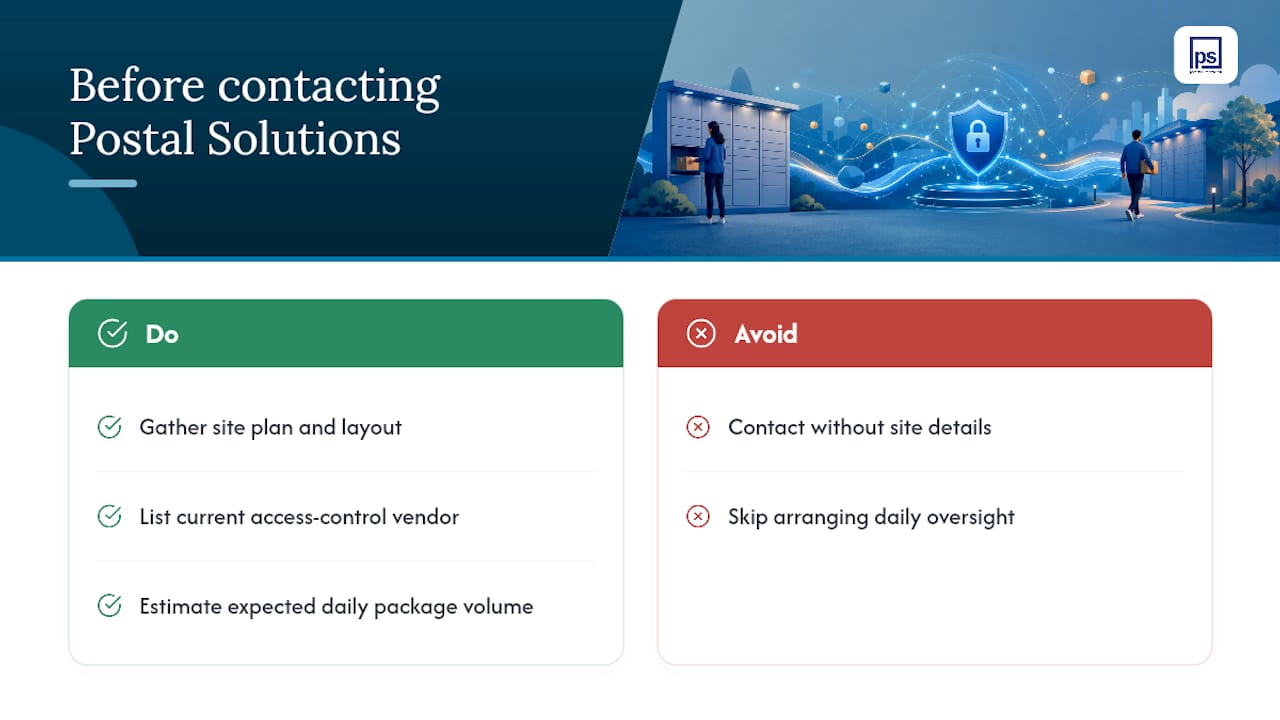
Before reaching out, gather your site plan, your current access-control vendor, and your expected daily package volume. That information lets Postal Solutions scope the right locker count and integration path from the first conversation. Visit the smart package lockers page to see configurations and request a quote for your property.
Sources
- How OptiSpaces powers smart locker systems with multi-credential access — Spintly blog
- Smart Lockers and access control system integration with Bridge Cable
FAQ
What Is Access Control Integration for Lockers?
It’s the process of wiring locker compartments into the same credential and logging system that governs building doors, so each locker becomes an identity-linked, auditable access point rather than a standalone unit.
Do Integrated Lockers Work if the Network Goes Down?
Most platforms support offline fallback, caching permissions locally so lockers keep functioning during an outage and syncing the event log once connectivity returns; confirm this behavior before go-live rather than assuming it.
What Credentials Do Access-Control Lockers Support?
Common methods include RFID cards, mobile app credentials, QR codes, and PIN codes, with higher-security use cases like IT asset lockers benefiting from two-factor requirements.
Can Locker Systems Sync With Active Directory or a PMS?
Yes, through a middleware layer or digital bridge that maps locker platform users to your Active Directory, property management system, or student database, automating provisioning and offboarding.
Does Postal Solutions Install Access-Control-Compatible Lockers?
Postal Solutions sells and installs Luxer One package room and locker systems and offers daily managed organizing and weekly audits, giving facility teams both the hardware and the ongoing operational support to keep it running smoothly.