Access Luxer One Reports in 2 Minutes: KPIs for Property Managers
Access Luxer One Reports in 2 Minutes: KPIs for Property Managers Log in to the Luxer One Manager Property Dashboard and click the Reports tab. That view gives you package logs, system usage metrics, resident pickup history, delivery tracki
Published
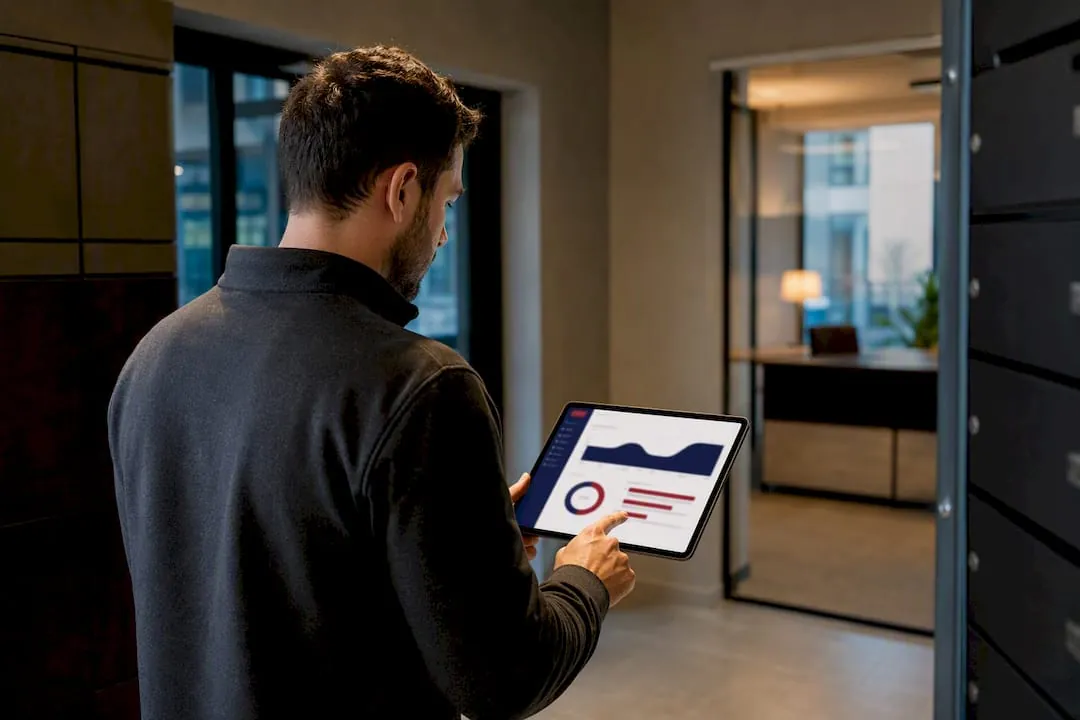
Log in to the Luxer One Manager Property Dashboard and click the Reports tab. That view gives you package logs, system usage metrics, resident pickup history, delivery tracking, and operational alerts for every locker or package room tied to your property. It’s the single fastest way to see what’s moving through your package room and where problems are starting to form.
TL;DR:
- Most reporting issues are caused by incorrect date ranges, property selection, or user permissions, not system failures.
- Package logs provide detailed parcel activity, but interpreting alerts requires knowing if issues stem from hardware faults or resident volume spikes.
- Regular audits, labeling standards, and clear policies improve report accuracy and prevent false positives that distort data.
- Consistent weekly review of key KPIs like dwell time, pickup compliance, and volume justifies operational adjustments and budget requests.
- Managed package-room support from Postal Solutions can handle oversight and upgrades 3-6 days per week, reducing on-site workload and improving data reliability.
Table of Contents
- How Do You Access Luxer One Software Reporting?
- What Each Report Type Actually Shows You
- Turning Report Data Into Operational Decisions
- What to Do When Reports Are Missing or Look Wrong
- Keeping Your Reporting Data Clean and Accurate
- Where Managed Package-Room Support Fits Into the Reporting Picture
- Why Consistent Reporting Beats Guesswork
- Let Postal Solutions Handle the Package Room While You Read the Reports
- Quick Links for Managers
- Sources
- FAQ
How Do You Access Luxer One Software Reporting?
The Property Dashboard works as a single-login command center across your entire portfolio, so you’re not juggling separate credentials for every building. Once you’re in, pulling a report follows a predictable pattern that most managers can complete in under two minutes once they know where to look.
- Log in to the Manager Portal. Use your assigned credentials at the Building Manager login screen. If you’ve forgotten your password, the portal’s recovery flow handles resets without needing to call support first.
- Select the property. If you manage more than one site, choose it from the portfolio dropdown rather than logging in separately. This is where a lot of managers lose time. Selecting “all properties” when you meant to isolate one building is the most common reason a report looks wrong.
- Open the Reports tab. This is the central hub for package logs, usage data, pickup history, and delivery tracking.
- Choose the report type. Package logs, system usage, and resident pickup history each pull different fields, so pick the one that matches the question you’re actually trying to answer.
- Set your date range. Narrow filters (a single week, a specific move-in period) surface patterns faster than pulling three months of data at once.
- Export or schedule. Most reports export to CSV for spreadsheet work, and many managers set up recurring exports so a weekly snapshot lands in their inbox automatically instead of requiring a manual pull.
Permissions matter more than most managers expect. If a report tab looks empty or grayed out, check your assigned role before assuming the system is broken. The Property Dashboard uses role-based access, and a leasing agent’s login might not carry the same visibility as a property manager’s or regional supervisor’s. Setting roles correctly the first time saves a support call later.
What Each Report Type Actually Shows You
Every report in the Luxer One dashboard pulls from the same underlying activity log, but each view isolates different fields for a reason. Understanding what you’re looking at is the difference between skimming a report and actually using it.
Package logs track individual parcel activity: timestamp of arrival, carrier ID, tracking number, and the specific locker or room slot assigned. This is your forensic record when a resident disputes a delivery or a package goes missing.
System usage metrics show volume patterns: how many packages moved through a given locker bank on a given day, which hours see the heaviest carrier drop-off, and how utilization rates compare across your property or portfolio. A property running near locker capacity during peak afternoon hours looks very different in this data than one with steady, spread-out volume.
Resident pickup history logs the timestamp between delivery and retrieval, plus any packages sitting unclaimed past a set threshold. Aging data here is often the earliest warning sign of a resident communication problem, not a hardware one.
Operational alerts flag the things that need immediate attention: offline lockers, failed delivery attempts, hardware faults, or connectivity drops. This is the report most managers check first thing in the morning.
- Package logs: timestamps, carrier, tracking number, locker ID
- Usage metrics: daily volume, peak windows, utilization percentage
- Pickup history: retrieval timestamps, unclaimed package aging
- Alerts: offline units, failed deliveries, hardware faults
Pro Tip: A spike in dwell time (packages sitting unclaimed longer than usual) almost always points to a resident notification or holiday-week volume issue, not a system malfunction. A spike in failed deliveries or offline alerts, on the other hand, usually means a hardware or connectivity problem that needs a support ticket. Learning to tell the two apart before you escalate saves you a wasted call.
Because the dashboard also folds in system health monitoring, ticket management, and camera access, a manager can often confirm whether an alert is a real hardware fault or a one-off glitch without leaving the portal.
Turning Report Data Into Operational Decisions
Reports are only useful if they change what you actually do on-site. The managers who get the most out of Luxer One’s dashboard treat it less like a status page and more like a weekly planning tool.
Staffing decisions are the most direct payoff. If usage metrics show a consistent midweek volume surge, that’s your evidence for adjusting when a package room attendant or leasing staffer checks the room. Pickup compliance data tells you whether your current notification cadence is actually working or whether unclaimed packages are piling up regardless of what residents are being told.
A few KPIs are worth tracking on a recurring basis:
- Average dwell time between delivery and pickup
- Pickup compliance rate (percentage retrieved within 24 to 48 hours)
- Daily package volume per 100 units, to benchmark against portfolio norms
- Frequency and duration of offline or fault alerts
These numbers also do the heavy lifting when you need to make a case to ownership. Trend data is what justifies capital requests such as adding locker capacity or reconfiguring a package room layout. A screenshot of “we’re busy” doesn’t move budget decisions.
Pro Tip: Build a one-page weekly snapshot instead of forwarding raw exports to leadership. Pull dwell time, pickup compliance, and total volume into a simple table every Monday. It takes ten minutes and reads far better in a leadership meeting than a spreadsheet dump.
Audits and recovery workflows lean on this same data. When a resident claims a package “never arrived,” the package log settles the question in seconds rather than becoming a back-and-forth over email.
What to Do When Reports Are Missing or Look Wrong
Most reporting problems trace back to a filter or permission issue, not a system failure. Before contacting support, run through this checklist:
- Recheck your date range. A narrow or misaligned filter is the single most common reason a report looks empty.
- Confirm the correct property is selected. Portfolio managers switching between buildings sometimes pull a report for the wrong site without realizing it.
- Verify your user role. Some report types require elevated permissions that a standard leasing login doesn’t carry.
- Export whatever is currently visible. Save that export before making further changes. It gives support a baseline to compare against once they investigate.
If the data still looks wrong after that, it’s time to escalate. Use the Building Manager support portal to submit a ticket, and include the property name, date range, report type, and a description of what you expected versus what actually appeared. Tickets with specifics attached move faster than a generic “reports aren’t working” message.
You can track ticket status directly from the dashboard, so there’s no need to call in for a status update on something already in the queue. Keep a copy of any export you pulled before filing the ticket. It’s the fastest way for support to identify whether the gap is a display issue or a genuine data problem on their end.
Keeping Your Reporting Data Clean and Accurate
Reporting is only as reliable as the process feeding it. A few habits keep the data trustworthy instead of quietly drifting out of sync with what’s actually happening in the package room.
- Run a daily visual check of the package room against the system’s package log, and assign one person to own it.
- Complete a weekly audit comparing physical inventory to what the dashboard shows as “in locker” or “pending pickup.”
- Standardize labeling and intake so every unit number is legible on the label before it’s scanned in. Mislabeled units are a leading cause of pickup history discrepancies.
- Align notification settings with your actual pickup policy. If residents get one reminder at 24 hours but your policy allows 72, the pickup compliance metric will look worse than it really is.
- Set a clear unclaimed-package policy (a specific day count before escalation or return-to-sender) and apply it consistently across the property.
A package room setup checklist built around these steps keeps audits consistent even when staff turns over, which matters more than most managers expect given how often front-office teams change hands in multifamily housing.
Where Managed Package-Room Support Fits Into the Reporting Picture
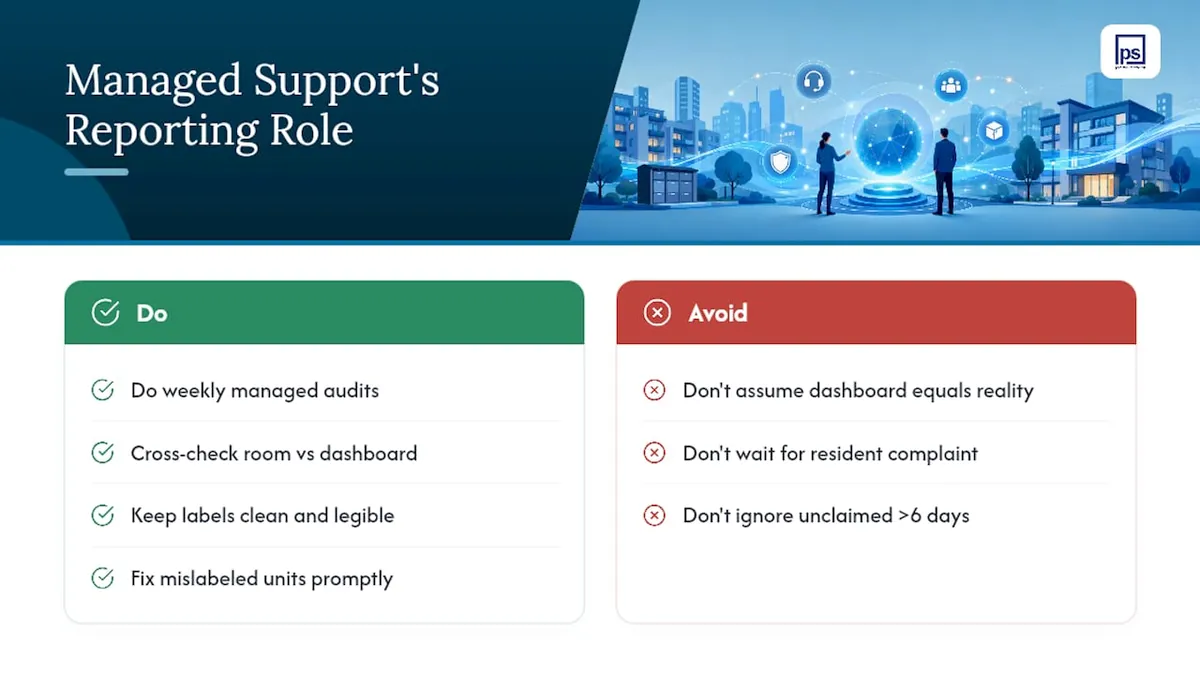
Dashboard data tells you what happened. It doesn’t organize the room, fix a mislabeled unit, or catch a resident’s misplaced package before it turns into a support ticket. That’s the gap managed visits are built to close.
Postal Solutions has spent more than 11 years installing and managing Luxer One systems, with over 1,200 installations across roughly 40% of U.S. states. During routine managed visits, a package room specialist cross-checks the physical room against dashboard reports as part of the weekly audit, catching mislabeled units before they show up as a discrepancy in pickup history.
When a package log shows a unit sitting unclaimed for six days, the first question isn’t “why didn’t the resident pick it up.” It’s “was the label even legible.” Managed weekly audits catch that second question before it becomes a resident complaint.
Clean labeling and consistent audits reduce false positives in the data itself, which means the reports you’re pulling reflect what’s actually happening in the room, not a mislabeling error masquerading as a pickup problem.
Why Consistent Reporting Beats Guesswork
Managers who check reports only when something goes wrong end up managing from surprises instead of evidence. Consistent use of the Reports tab, even a five-minute weekly scan, catches dwell time creep, permission errors, and hardware faults before residents start filing complaints about them. The data is already there. The only variable is whether you’re looking at it before or after it becomes a problem.
If your team hasn’t set up scheduled report exports or a weekly review habit, it’s worth walking through the dashboard together and mapping which reports matter most to your property’s specific pain points. That’s a conversation worth having before your next lease-up cycle, not during it.
Let Postal Solutions Handle the Package Room While You Read the Reports
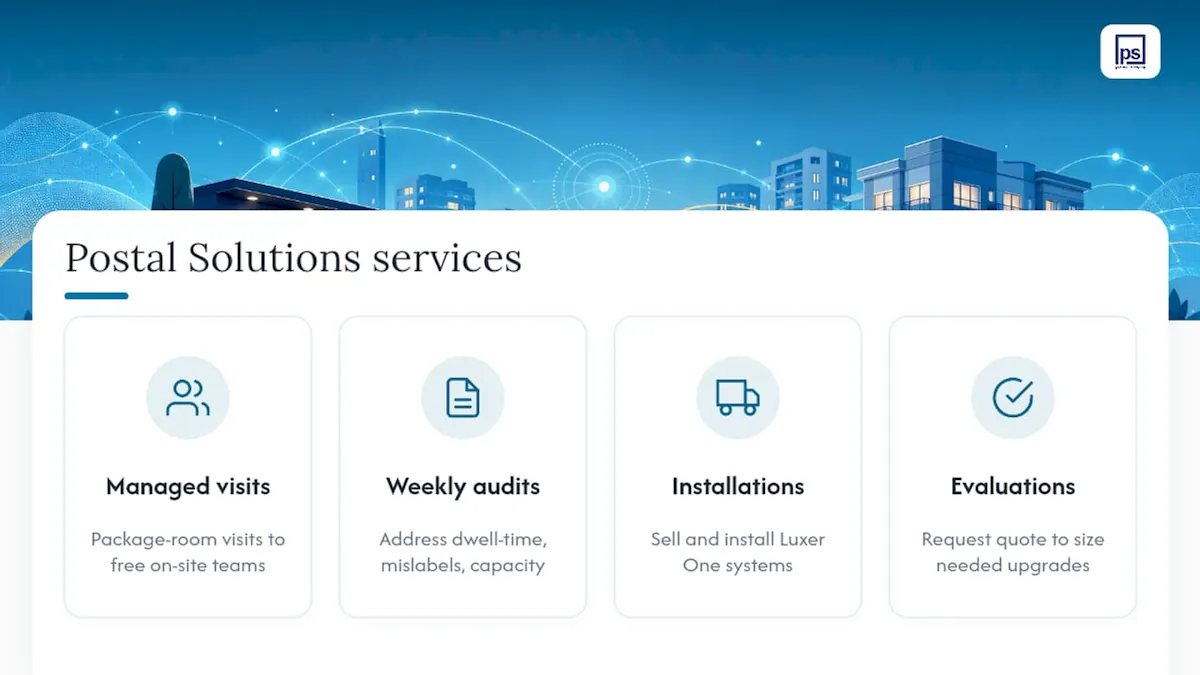
Reading the data is one thing. Acting on it every single day is another, and that’s where most on-site teams run out of bandwidth. Postal Solutions offers managed package-room visits and weekly audits that respond directly to what your reports are showing, whether that’s a dwell-time spike, a mislabeled unit, or a locker bank running near capacity. Beyond ongoing management, Postal Solutions also sells and installs Luxer One locker and package room systems, so if your reporting data is telling you it’s time to add capacity, the same team can handle that upgrade too. If you’re ready to see what managed support looks like for your property, request an evaluation or quote from Postal Solutions and get a straight answer on what fits your building.
Quick Links for Managers
For system-level support and documentation, visit Luxer One’s support portal. For daily audit routines and labeling standards, use Postal Solutions’s package room setup checklist and apartment package management overview.
FAQ
What Exactly Is Luxer One?
Luxer One is a package locker and automated package room provider that pairs physical hardware with manager software, including a Property Dashboard for reporting, ticket management, and system health monitoring.
Who Owns Luxer One?
Luxer One operates as an independent package management technology company. It’s not a resident-facing carrier; property managers use the Building Manager portal to oversee the system, while Luxer One does not contract directly with individual residents.
Does Luxer One Notify Residents?
Yes. Luxer One sends automated notifications to residents as soon as a package is logged into a locker or package room, and pickup timestamps from those notifications feed directly into the resident pickup history report.
What Are People Saying About Luxer One in Reviews?
Feedback generally centers on reliability and ease of implementation, with property teams citing the single-login dashboard and automated notifications as reducing day-to-day resident support requests. Experiences vary by property, and pairing the system with routine audits and managed visits, such as those Postal Solutions provides, tends to produce more consistent results than relying on the hardware alone.
How Do I Fix Missing or Incorrect Report Data?
Start by rechecking your date range, property selection, and user role, then export whatever data is visible before filing a support ticket through the Building Manager portal with those specifics attached.