7 Step Email vs SMS Workflow for Package Rooms, Property Managers
7 Step Email vs SMS Workflow for Package Rooms, Property Managers Use SMS for time-sensitive alerts like locker codes, delivery ETAs, and pickup reminders, since residents read texts within minutes. Use email for receipts, proof-of-delivery
Published
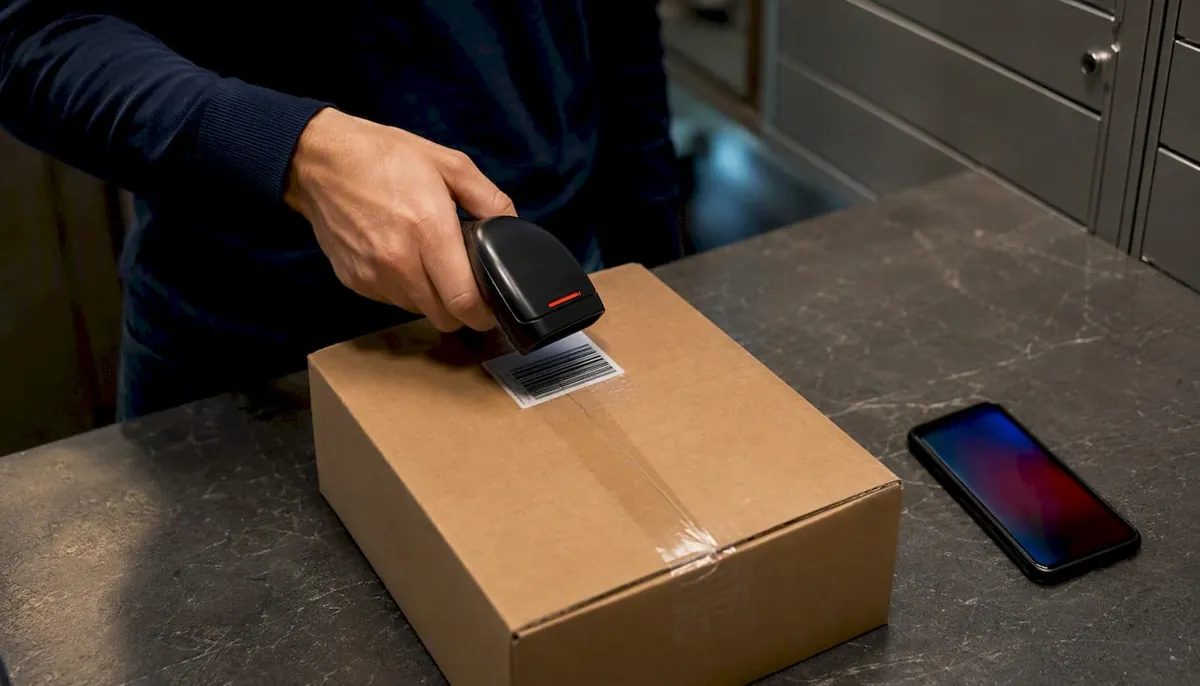
Use SMS for time-sensitive alerts like locker codes, delivery ETAs, and pickup reminders, since residents read texts within minutes. Use email for receipts, proof-of-delivery, and weekly digests that need a permanent record. For high-value or urgent parcels, send both. This exact sequencing is built into managed package rooms to reduce missed pickups.
TL;DR:
- SMS notifications are ideal for urgent alerts like locker codes and delivery ETAs because of their near-instant readability and high open rates.
- Email is better suited for documenting proof of delivery, receipts, and weekly summaries, as it offers unlimited content capacity and remains behind a login.
- Properties should use SMS for immediate event alerts and email for record-keeping, ensuring a clear separation and avoiding duplicate notifications.
- Accurate contact data management and consent are critical to prevent communication failures and legal risks, with opt-in recorded at move-in and easy opt-out options provided.
- Cascading notifications, escalating to multiple channels after 48 hours of no response, significantly improve confirmed delivery rates and reduce missed pickups.
Table of Contents
- Email vs SMS Notifications: Timing, Content, and Cost Compared
- Which Channel Fits Each Package-Room Event?
- How to Wire Notifications Into Your Package-Room System
- Consent and Privacy Rules Every Property Needs
- Tracking the Metrics That Cut Missed Pickups
- Launch Checklist and Message Templates You Can Use Today
- Field Notes: What Actually Cuts Staff Touches and Resident Friction
- How Postal Solutions Helps With Notification Setup and Locker Integrations
- Sources
- FAQ
Email vs SMS Notifications: Timing, Content, and Cost Compared
The gap between these two channels is not close when it comes to speed. SMS open rates run near the high 90s percent range, with most texts read within minutes, while email open rates typically land between 20 and 40 percent and often sit unread for hours. Apple Mail Privacy Protection and similar features also distort email open tracking, making it harder to know if a resident actually saw a delivery notice.
Content capacity flips the advantage. SMS caps out around 160 characters per segment, forcing short, action-first messages (“Locker A12, code 4471, pick up by 8 PM”). Email carries no such limit, so it handles order details, photos of the delivered package, and formatted receipts without truncation.
Privacy exposure matters too. SMS content often appears on a resident’s lock screen, which means a locker code or delivery detail can be visible to anyone glancing at the phone. Email stays behind a login, making it the safer channel for sensitive information.
| Factor | SMS | |
|---|---|---|
| Typical read time | Minutes | Hours (sometimes days) |
| Open rate | near the high 90s percent range | 20 to 40% |
| Content limit | ~160 characters | Unlimited |
| Lock-screen exposure | High | None |
| Best for | Locker codes, ETAs | Receipts, digests |
- Locker code ready: SMS, sent immediately on trigger.
- Delivery ETA/approaching: SMS, sent same day.
- Delivery receipt or proof: Email, sent within an hour.
- Weekly digest: Email, batched and scheduled.
Which Channel Fits Each Package-Room Event?
Matching the channel to the event is where most properties either save staff hours or create a flood of front-desk calls. Here’s how the mapping should work across the package lifecycle:
- Locker ready / access code. SMS only, sent the instant the locker locks. Keep it under 160 characters: unit, locker number, code, expiration window.
- Delivery ETA or approaching. SMS, sent once per shipment. Avoid repeat pings, since industry guidance recommends SMS for day-of alerts and email for post-delivery documentation.
- Delivery confirmed. SMS for the initial ping, followed by an email receipt within the hour for the permanent record.
- Delivery attempted or failed. SMS immediately, with a follow-up email summarizing next steps and a rescheduling link.
- Pickup reminders. SMS at 24 hours, then again at 48 hours if unclaimed. Cap it at two reminders before escalating.
- Weekly digest. Email only. This is not urgent, and cramming it into SMS just trains residents to ignore texts.
- Invoice or receipt. Email exclusively. This is documentation that needs to survive in an inbox, not a text thread.
Escalation should follow a simple rule: if a pickup reminder goes unanswered for 48 hours, cascade to a second channel or a phone call. Multi-channel, urgency-based routing produces meaningfully higher confirmed delivery rates than relying on a single channel, which is exactly why cascading beats repeating the same text three times.
How to Wire Notifications Into Your Package-Room System
The trigger architecture behind a clean notification workflow follows a predictable sequence: a package scan or ingest event, a status change in the software, a channel decision based on urgency, then the send. SMS should sit on the “action required now” branch of that logic. Email should sit on the “record this” branch. Trying to run both off the same trigger without urgency rules is how properties end up double-notifying residents for a single package.
Contact data hygiene makes or breaks this; for properties aiming to improve outreach, partnering with specialized Real Estate SEO Services can help capture and retain resident leads more effectively. A resident with an outdated phone number or a bounced email address creates a silent failure that nobody notices until a WISMO (“where is my order”) call comes in. A nightly contact-sync job between the leasing system and the package-room software, paired with a suppression table that blocks duplicate sends across channels, closes most of that gap.
This discipline is built into every managed package room it runs. Daily package room audits, consistent unit-number labeling on every box, and direct integration with Luxer One’s software reporting mean fewer mis-scans and more first-notice pickups. When labeling is inconsistent, notifications go to the wrong resident, and that single error cascades into two or three follow-up messages trying to correct it.
- Run a pilot in one building before a portfolio-wide rollout.
- Test with a small internal contact list first to catch formatting errors.
- Keep a rollback plan ready in case a trigger misfires and sends duplicate alerts.
- Audit suppression logic monthly, not just at launch.
Pro Tip: Route your locker-code SMS through the same platform that sends your email receipts. Coordinating both from one system prevents the awkward scenario where a resident gets a text and an email with slightly different pickup deadlines.
Consent and Privacy Rules Every Property Needs
SMS carries real legal exposure if consent is not documented. Capture opt-in through the lease itself or a standalone checkbox at move-in, and keep that record on file. Framing SMS opt-in around safety and operational needs, like package alerts and maintenance notices, tends to lift consent rates compared to generic marketing language.
Basic TCPA risk mitigation is not complicated, but it is easy to skip:
- Use plain opt-in language at signup, not buried legal text.
- Include an easy opt-out reply (“Reply STOP to unsubscribe”) on every text.
- Route opt-outs into a suppression list immediately, across every channel.
- Never put full addresses, order contents, or high-value item descriptions in an SMS body. Link to a secure resident portal instead.
Email remains the better channel whenever a dispute might follow. A receipt with a timestamp, package photo, and delivery confirmation in an inbox holds up as evidence in a way a deleted text thread never will.
Tracking the Metrics That Cut Missed Pickups
Six numbers tell you whether your notification setup is working: delivery rate, read timing window, response rate, WISMO/front-desk call volume, first-attempt pickup rate, and failed pickup rate. Track them weekly at the operational level and roll them into a monthly strategic review.
A rollout worth watching: properties layering SMS and email with urgency-based routing see confirmed delivery rates well above the 64 to 71 percent typical of single-channel notification systems.
- Run a staged test: pick two comparable buildings, change one variable (channel or timing), and compare pickup rates over 30 days.
- Attribute changes to the specific variable you tested, not the whole rollout at once.
- Watch failed pickup rate closely. A rising number usually means either the notification failed or the message wasn’t clear enough.
Launch Checklist and Message Templates You Can Use Today
- Audit resident contact data for missing or outdated phone numbers and emails.
- Capture SMS opt-in at move-in or through a lease addendum.
- Build templates for each event type before go-live.
- Set up suppression logic to block duplicate cross-channel sends.
- Run test sends to a staff list before touching resident data.
- Train front-desk and package-room staff on the new cadence.
- Update your service-level agreement to reflect new response-time expectations.
Sample templates:
- Locker ready (SMS): “Unit 214: Package ready at Locker B7. Code 8823. Pick up by 9 PM today.”
- Pickup reminder (SMS): “Reminder: package waiting at the package room for 24 hours. Pick up soon to avoid return to sender.”
- Delivery attempted (email subject): “Delivery Attempted, Action Needed” with a body explaining rescheduling steps.
- Weekly digest (email subject): “Your Package Room Summary for This Week.”
Keep SMS under 160 characters with one link maximum. Keep email subject lines under 50 characters so they don’t truncate on mobile inboxes.
Field Notes: What Actually Cuts Staff Touches and Resident Friction
Across managed package rooms and Luxer One installations, the same pattern shows up again and again: properties that pair fast SMS alerts with clean audit trails see fewer WISMO calls and faster pickups. The notification channel matters less than the discipline behind it, meaning consistent labeling, daily reconciliation, and a suppression system that never lets two channels talk over each other.
The most overlooked lever is the weekly audit. A five-minute reconciliation between the package-room log and the software catches mislabeled units before they turn into three confused phone calls and a text sent to the wrong resident.
How Postal Solutions Helps With Notification Setup and Locker Integrations
Daily package-room operations management and sales and installation of Luxer One package room and locker systems, including refrigerated locker options, are provided. This combination puts the notification logic into practice at the property level through daily organization, unit labeling, and weekly audits to keep locker-ready and pickup alerts accurate.
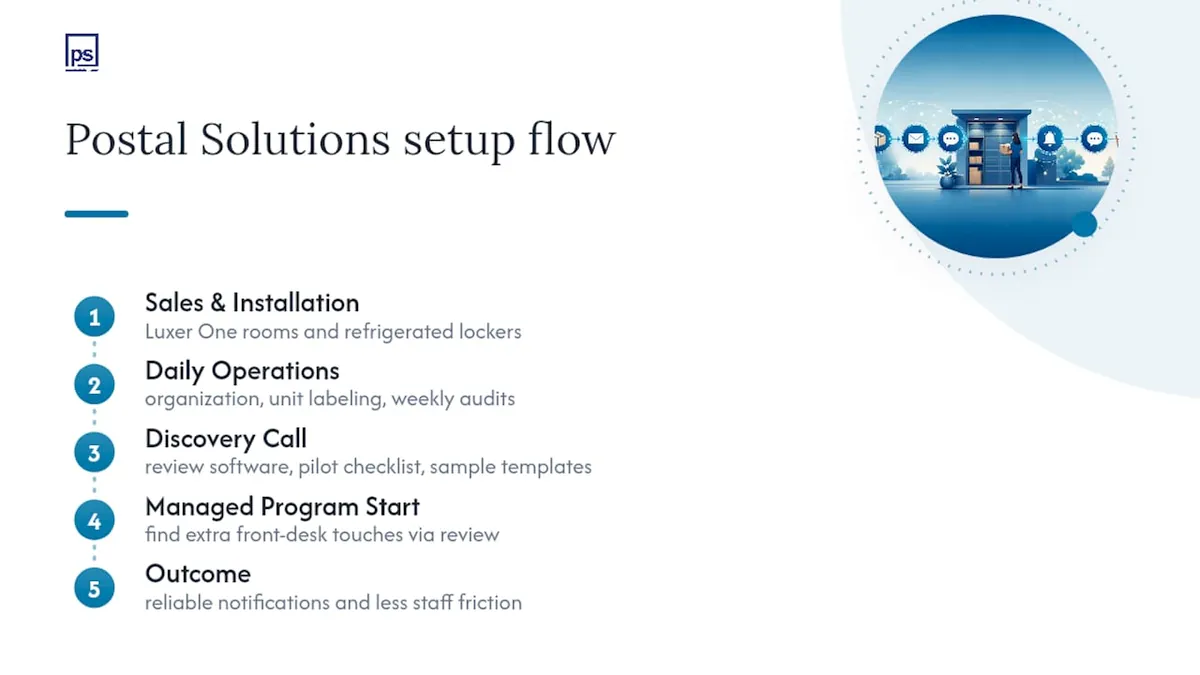
A discovery call typically covers a review of your current package-room software, a pilot checklist for one building, and sample SMS and email templates matched to your resident population. Properties considering a managed mail and package program can start with that review and see exactly where their current setup is creating extra front-desk touches. If reliable notification workflows and less staff friction sound like the outcome you want, visit Postal Solutions to schedule a discovery call and get a quote.
Sources
- SMS vs Email Marketing: Which Works Better in 2026
- Reach Every Tenant: Communication Automation That Delivers
FAQ
Is SMS Always Better Than Email for Package Alerts?
No. SMS wins on speed for urgent, action-required alerts, but email is better for receipts, proof-of-delivery, and anything that needs a lasting record.
How Fast Do Residents Typically Read a Text Alert?
Most SMS notifications get read within minutes, compared to email open rates that average 20 to 40 percent and often go unopened for hours.
Do Properties Need Resident Consent to Send SMS Alerts?
Yes. Consent should be documented through a lease clause or a separate opt-in checkbox, with an easy opt-out option on every message to limit TCPA risk.
Can Postal Solutions Help Set Up These Notification Workflows?
Postal Solutions oversees package-room organization 3-6 days per week and works with Luxer One systems, which supports the accurate labeling and auditing that keeps notification triggers reliable.
What’s the Biggest Mistake Properties Make With Package Notifications?
Sending the same reminder repeatedly on one channel instead of escalating to a second channel after 48 hours, which trains residents to ignore the alerts entirely.