Can You Change a USPS Delivery Date Once a Package Is Moving?
Can You Change a USPS Delivery Date Once a Package Is Moving? Once a package is out for delivery, you generally cannot pick a new delivery date. Before that point, you usually have real options. The most useful tools, in order of practicali
Published
Once a package is out for delivery, you generally cannot pick a new delivery date. Before that point, you usually have real options. The most useful tools, in order of practicality, are Delivery Instructions (works only while the item is still in transit), Package Intercept (a paid request to reroute, hold, or return a package, available for a nonrefundable intercept fee plus postage), scheduled Redelivery after a missed attempt, and Hold Mail for planned absences.
What determines which option applies to you is the package’s current tracking status and its shipping restrictions. A package with a signature requirement, insured value over $500, or an international or military address is excluded from several of these tools. Here’s the quick decision list:
- Still in transit, not out for delivery yet: Try Delivery Instructions first. It’s free and fast.
- Need it stopped, returned, or redirected entirely: Use Package Intercept, understanding it costs $19.45 plus postage and isn’t guaranteed to succeed.
- Already missed a delivery attempt: Schedule Redelivery using the tracking number or the barcode on PS Form 3849.
- Going away for a stretch: Set up Hold Mail before you leave, not after.
Pro Tip: Check your tracking status on USPS.com before doing anything else. The “Available Actions” section on that page tells you instantly which of these tools you’re even eligible for, saving you from filling out a request that gets rejected.
Key Takeaways
Changing a USPS delivery date depends entirely on where the package currently sits in the network, and the earlier you act, the more tools you have available.
| Point | Details |
|---|---|
| Check status first | Tracking’s “Available Actions” section shows exactly which tools apply before you try anything. |
| Use free tools before paid ones | Delivery Instructions costs nothing and works if the package isn’t out for delivery yet. |
| Intercept has real limits | Package Intercept carries a nonrefundable intercept fee plus postage, excludes several item types, and isn’t guaranteed to succeed. |
| Redelivery has firm cutoffs | Same-day redelivery generally requires submission by 2 AM CST, and changes usually need a day’s notice. |
| Out for delivery means no changes | Once a carrier has the package loaded for the day’s route, none of these tools can intervene. |
Table of Contents
- Quick Actions You Can Take Now to Change USPS Delivery
- What Is USPS Package Intercept and How Does It Work?
- USPS Delivery Instructions: When It Works and Its Limits
- Redelivery and PS Form 3849: How to Reschedule After a Missed Delivery
- Why You Sometimes Can’t Change a Delivery Date
- Perspective: How Multifamily Properties Should Handle Reschedule Requests
- What Actually Matters When You’re Trying to Reschedule a Delivery
- Sources
- FAQ
Quick Actions You Can Take Now to Change USPS Delivery
If you’re trying to change a USPS delivery date right now, work through these steps in order rather than jumping straight to a support call or a walk-in visit to your local Post Office. Each step rules out or confirms your next move.
- Pull up your tracking number and check the status field. Go to USPS.com’s tracking tool and look specifically for a section called “Available Actions.” This is where USPS surfaces whatever options actually apply to your package, whether that’s Delivery Instructions, Hold Mail, or Package Intercept. If the section is blank or missing, the package has likely already progressed too far in the network for changes.
- If Delivery Instructions appears as an option, use it before anything else. It’s free, takes a couple of minutes, and lets you redirect to another address on the same route, request the carrier hold it for pickup, or leave it in a different spot. This only works while the package is still short of “out for delivery.”
- If Delivery Instructions isn’t available, check Package Intercept eligibility. This costs money and works less often once a package is close to its destination, but it’s your best remaining lever for changing where or when a package lands.
- If neither works and the item was already attempted, wait for the notice. USPS carriers leave PS Form 3849 when nobody’s available to accept a package or sign for it. That form has the tracking barcode and the return-to-sender deadline you need for the next step.
- Schedule Redelivery using that barcode or your tracking number. You can do this online, by phone, or at the Post Office listed on the form.
- If timing is tight, consider picking the package up in person instead of waiting on a new delivery window. This is often faster than a second redelivery attempt.
A few practical notes make this process smoother. Keep your shipping confirmation email or order receipt handy. It usually contains the tracking number you’ll need for every one of these steps, and hunting for it later wastes time you may not have if you’re up against a same-day cutoff. Same-day redelivery has a firm cutoff, and if you miss it, you’re waiting until the following business day regardless of how urgently you need the package.
If you’re not the one who placed the order, such as a package addressed to you but purchased by someone else, you may not have full access to some of these tools. In that case, contacting the sender directly and asking them to initiate an intercept or update the shipping address at their end can be faster than trying to work around account restrictions on your side.
Pro Tip: Bookmark the tracking page for any package you’re expecting instead of relying on the delivery notification. Available Actions can change hour to hour as the package physically advances through USPS facilities, so checking once in the morning and assuming that’s the full picture by evening is a common mistake.
What Is USPS Package Intercept and How Does It Work?
Package Intercept is the USPS tool for stopping, redirecting, or reclaiming a package that’s already shipped, and it’s the closest thing to an emergency brake in the entire USPS system. It works on domestic packages that haven’t yet been delivered, letting the sender or an authorized account holder request the item be returned to sender, held at a Post Office, or rerouted to a different address, according to USPS.
It doesn’t work on everything. Before you request an intercept, confirm your package doesn’t fall into one of these common exclusion categories:
- International shipments (Package Intercept is domestic only)
- Military mail (APO/FPO/DPO addresses)
- Items insured for more than $500
- Collect on Delivery (COD) shipments
- Signature-required packages in some cases, depending on how far along delivery is
- Packages already out for delivery or already delivered
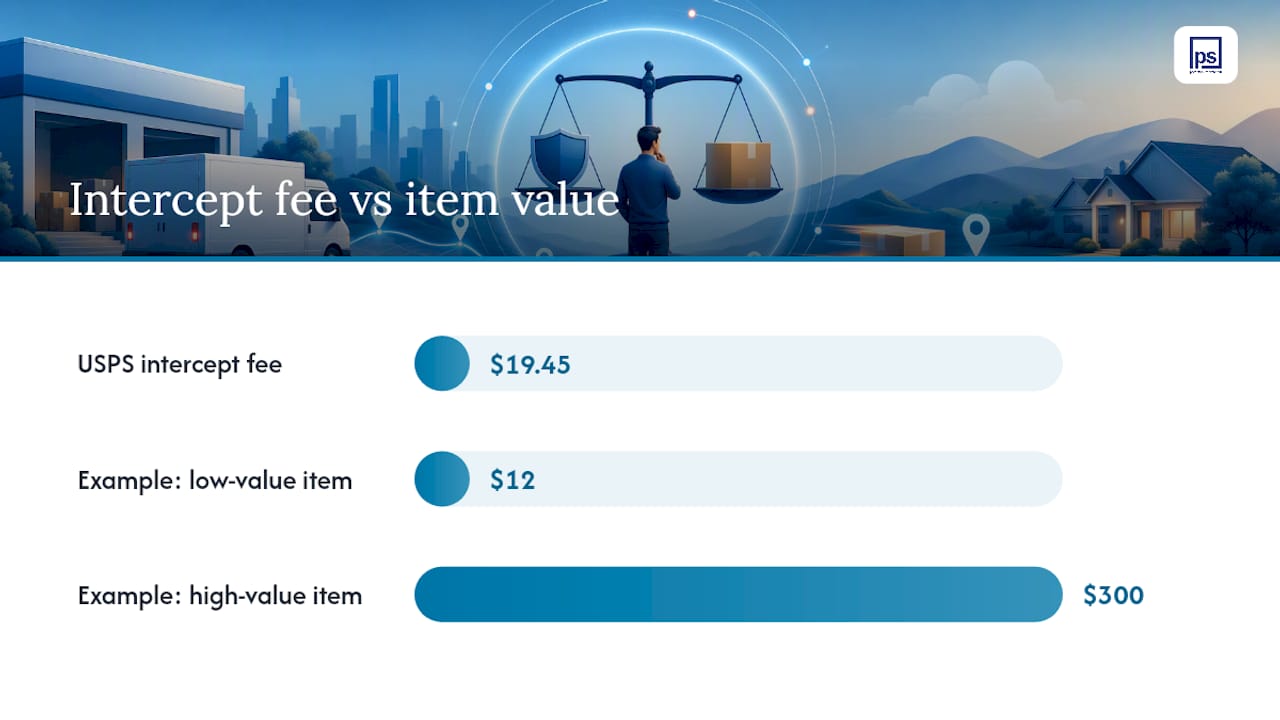
The fee structure is straightforward but easy to underestimate. USPS charges a nonrefundable $19.45 intercept fee, plus whatever additional postage applies to reroute or return the item, according to USPS. You’ll see an estimated total before you confirm, but the final postage amount gets determined after the intercept actually happens, since the exact rerouting cost depends on the package’s location and destination at the moment USPS processes the request. If you’re intercepting a $12 item, paying nearly $20 just for the fee (before postage) may not make financial sense. If it’s a $300 item shipped to the wrong address, it usually does.
Here’s how to actually submit a request:
- Sign into your USPS.com account (Package Intercept requires an account; you can’t do this as a guest).
- Enter the tracking number for the package you want to intercept.
- Choose your requested action: return to sender, hold at the Post Office for pickup, or redirect to a new address.
- Review the estimated cost and confirm payment.
- Watch your email and USPS account for updates on whether the intercept succeeded.
Timing is everything here. Packages move through automated sorting facilities fast, and once an item is close to its final delivery point, there’s often no physical opportunity left to pull it out of the flow, according to USPS. The earlier you submit the request after the package first ships, the better your odds. Waiting a day or two “to see if it’s really necessary” is often the difference between a successful intercept and a wasted fee.
After you submit, USPS attempts the intercept but doesn’t guarantee it will work. You’ll get notifications on the outcome, and if the intercept fails after the package has already been delivered or has moved past the point where interception is physically possible, you may still be charged depending on how far the process got. Weigh the cost against the realistic odds of success before you commit; for a package that’s already deep into the delivery network, sometimes letting it arrive and dealing with it from there is the more sensible move.
USPS Delivery Instructions: When It Works and Its Limits
USPS Delivery Instructions lets you set handling or release preferences for a package while it’s still moving through the network, and it’s free, unlike Package Intercept. Registered USPS.com users can request the carrier leave a package in a specific spot, hold it at the Post Office for pickup, or redirect it to a different address entirely on the same delivery route, according to USPS.
The catch is timing. Delivery Instructions must be submitted before the package is marked out for delivery. Once a carrier has the item loaded for that day’s route, the window closes. This is why checking your tracking status early in a package’s journey, rather than the morning you expect it, matters so much.
Not every package qualifies. Items that require a signature, carry insurance over $500, or fall into certain restricted mail classes typically aren’t eligible for Delivery Instructions redirection, and some release or redirect actions simply aren’t offered on every shipment, according to USPS. You’ll find out quickly whether your package qualifies: the option either shows up under “Available Actions” on the tracking page, or it doesn’t.
To set instructions, log into your USPS.com account, pull up the tracking number, and look for the Delivery Instructions option in Available Actions. From there you choose your preference and submit. No account means no access to this feature, so if you frequently receive packages, creating a free USPS.com account before you need it saves a scramble later.
Delivery Instructions requests are treated as final once submitted, and the service itself is subject to change by USPS at any time, with continued use counting as acceptance of updated terms. That finality is worth sitting with for a second: there’s no simple “undo” button once you’ve set your preference, so double check the address or pickup location before confirming.
For apartment residents specifically, Delivery Instructions can solve a problem that’s bigger than it looks, as detailed in Tenant Complaints: How to Improve Landlord-Tenant Relations. If your building has a managed package room or a locker system, setting instructions to route packages there instead of leaving them exposed near mailboxes cuts down dramatically on missed deliveries and porch theft. Properties that pair this option with a clear package intake process see far fewer resident complaints about “my package never showed up” when in reality it was delivered and simply misplaced.
Redelivery and PS Form 3849: How to Reschedule After a Missed Delivery
Once you’ve missed a delivery attempt, the path forward runs through PS Form 3849, the notice your carrier leaves behind. This slip contains the tracking barcode and the return-to-sender date, both of which you’ll need to reschedule, according to USPS. Recent revisions to the form also reflect updated eligibility markings for parcel lockers, so newer versions may look slightly different from ones you’ve seen in past years.
You have three ways to schedule redelivery:
- Online, using either your tracking number or the barcode printed on the form.
- By phone, reading the same barcode number to a representative.
- In person, at the Post Office named on the notice.
Timing rules matter more here than almost anywhere else in this process. Same-day redelivery generally requires submitting your request by 2 AM CST, Monday through Saturday, according to USPS. Miss that window and you’re looking at the next available delivery day instead. If you need to modify or cancel a redelivery you’ve already scheduled, that change typically has to happen no later than the day before the scheduled date, and you’ll need the confirmation number generated when you first booked it.
| Action | Timing rule |
|---|---|
| Schedule same-day redelivery | Submit by 2 AM CST, Monday through Saturday |
| Modify or cancel redelivery | Generally must be done by the day before the scheduled date |
| Access redelivery | Requires confirmation number from original scheduling |
| Pick up in person | Available anytime the Post Office is open, using ID |
Picking the package up yourself at the named Post Office is often faster than waiting for a second delivery attempt, particularly if you work during typical delivery hours and know a redelivery attempt is likely to fail again for the same reason the first one did. Bring a government-issued photo ID and the PS Form 3849 notice, and the counter staff can usually locate your package within a few minutes.
One deadline that trips people up: PS Form 3849 lists a return-to-sender date, and if you don’t schedule redelivery or pick up the package before that date, it goes back to the sender automatically. That date isn’t flexible, so treat it as the true outer limit for any of the options above, not a suggestion.
Why You Sometimes Can’t Change a Delivery Date
USPS packages move through a highly automated sorting and routing system, and that system has genuine physical limits on when a human, or even USPS itself, can intervene. Several situations put a delivery date functionally out of reach.
The most common blocker is simple: the package is already out for delivery. Once it’s on a truck and assigned to that day’s route, none of the online tools, including Delivery Instructions or Package Intercept, can reach it anymore. Signature-required items, packages insured above $500, and anything addressed internationally or to a military address (APO/FPO/DPO) also carry restrictions that block several of these options outright, regardless of timing. If a package already has an active redelivery or Hold Mail request attached to it, adding a second, conflicting request often just creates confusion rather than a faster outcome.
If you find yourself boxed out of every option above, a few realistic paths remain:
- Pick up in person at the Post Office once the item is held there.
- Authorize a neighbor or trusted person to accept the package on your behalf, if your carrier allows third-party acceptance.
- Use a parcel locker system where eligible, since some buildings and Post Office locations offer locker pickup that sidesteps missed in-person attempts.
- Contact the sender and ask them to initiate a return or reshipment from their end, particularly if the shipping address was wrong to begin with.
Sometimes the most efficient move isn’t fighting the system at all. It’s accepting that the current delivery attempt will play out as scheduled, then using redelivery or pickup to handle it cleanly afterward.
Perspective: How Multifamily Properties Should Handle Reschedule Requests
Apartment residents run into every limitation described above, but they run into it more often, because they don’t control their own front door. A managed package room or a locker system like Luxer One removes a lot of that friction by giving USPS carriers a single, secure drop point instead of scattered mailbox areas where packages sit exposed.
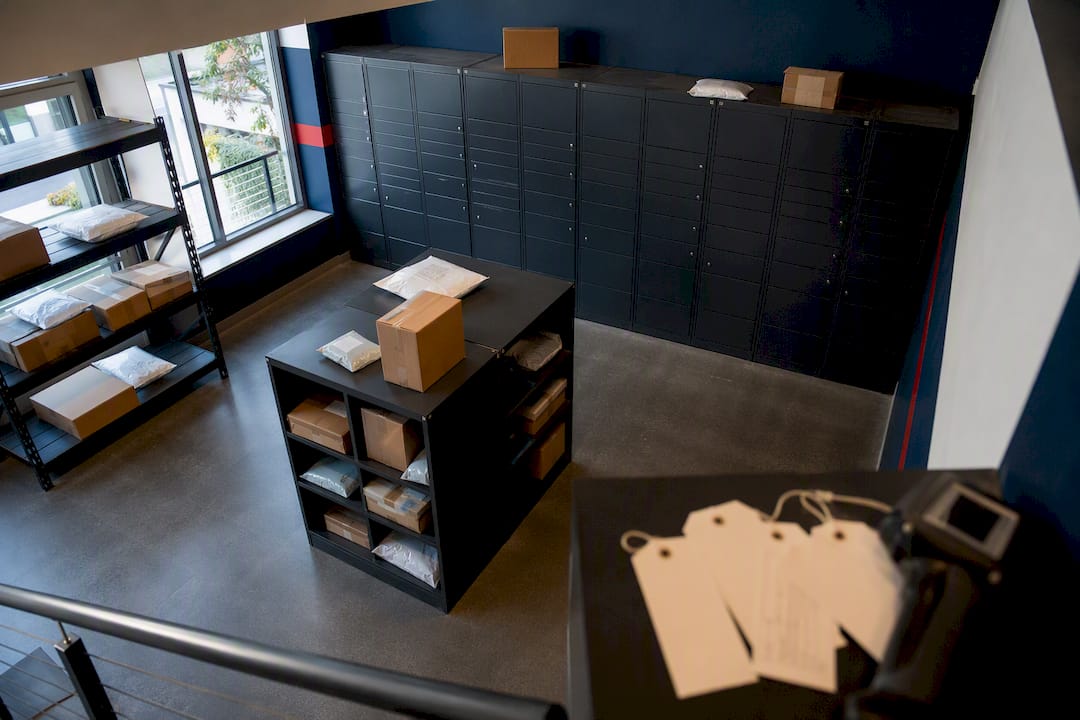
Property teams handling reschedule requests should build a repeatable process rather than fielding one-off panicked emails. Publish tracking numbers in a shared resident portal or communication channel when possible, so residents can self-serve their own status checks instead of calling the office. Set a clear intake procedure for reporting a missed delivery, and encourage residents to use Delivery Instructions to route eligible packages directly into the property’s package room or locker system rather than leaving them at an individual door.
Daily package-room organization and regular audits matter more here than they might seem to. A package room that’s sorted and current every day means fewer “where’s my package” tickets and less staff time spent chasing down misdelivered items.
Pro Tip: If your community handles high package volume, a monitored locker system that logs pickup times automatically eliminates most of the disputes over whether a package was actually delivered or picked up.
What Actually Matters When You’re Trying to Reschedule a Delivery
The conventional advice on this topic tends to treat every USPS tool as equally available, when in reality timing decides almost everything. Delivery Instructions and Package Intercept both work well, but only within a shrinking window that closes the moment a package hits “out for delivery.” Most people don’t check tracking until the day they expect the package, which is often exactly the day these tools stop working.
The bigger miss in most advice is treating redelivery as a fallback rather than the reliable default it actually is. Chasing a mid-route change often costs money (Package Intercept) or requires a lucky timing window (Delivery Instructions) for outcomes that redelivery, scheduled cleanly the day after a missed attempt, handles just as well for free. If you’re a resident or property manager dealing with this regularly, prioritize the process, not the exception: check tracking early, use free tools while they’re available, and treat pickup or redelivery as the reliable path rather than a last resort.
Sources
- Package Intercept - Stop Delivery of Letter or Package | USPS
- USPS Delivery Instructions: The Basics
- Schedule a Redelivery | USPS
FAQ
Can You Change a USPS Delivery Date?
Yes, but only under certain conditions. You can change it while the package is still in transit using Delivery Instructions, or through a paid Package Intercept request. Once the item is out for delivery, changing the date is generally no longer possible.
Why Won’t USPS Let Me Reschedule a Delivery?
USPS restricts rescheduling once a package is out for delivery because it’s already loaded onto a route and physically in a carrier’s vehicle. Certain items, like signature-required or highly insured packages, also carry restrictions that limit which tools apply even earlier in transit.
How Many Times Will USPS Attempt Delivery?
USPS typically leaves PS Form 3849 after one missed attempt, and you then have a window, tied to the return-to-sender date on that notice, to schedule redelivery or pick up the item before it’s sent back to the sender, according to USPS.
Can You Cancel a USPS Delivery Before It Arrives?
You can request that a package be stopped or returned through Package Intercept, which costs $19.45 plus postage, but the outcome isn’t guaranteed since packages move quickly through automated sorting facilities, according to USPS.